
macOS 27 ends Time Machine backups to AirPort Time Capsule. Set up the replacement before you upgrade.
macOS 27 drops Apple Filing Protocol, so Time Machine can no longer back up to an AirPort Time Capsule. What still works, and the order to do things in.
Macs running macOS 27 Golden Gate, released on 14 September, can no longer use an AirPort Time Capsule as a Time Machine backup disk.
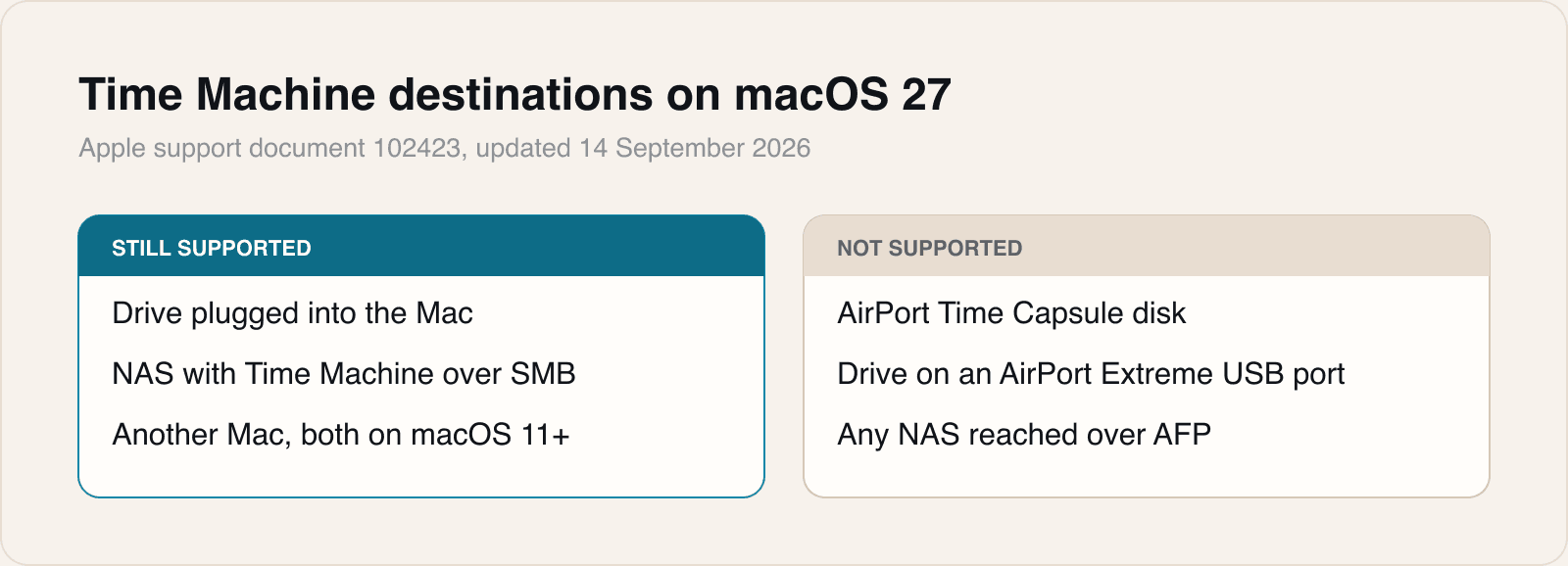
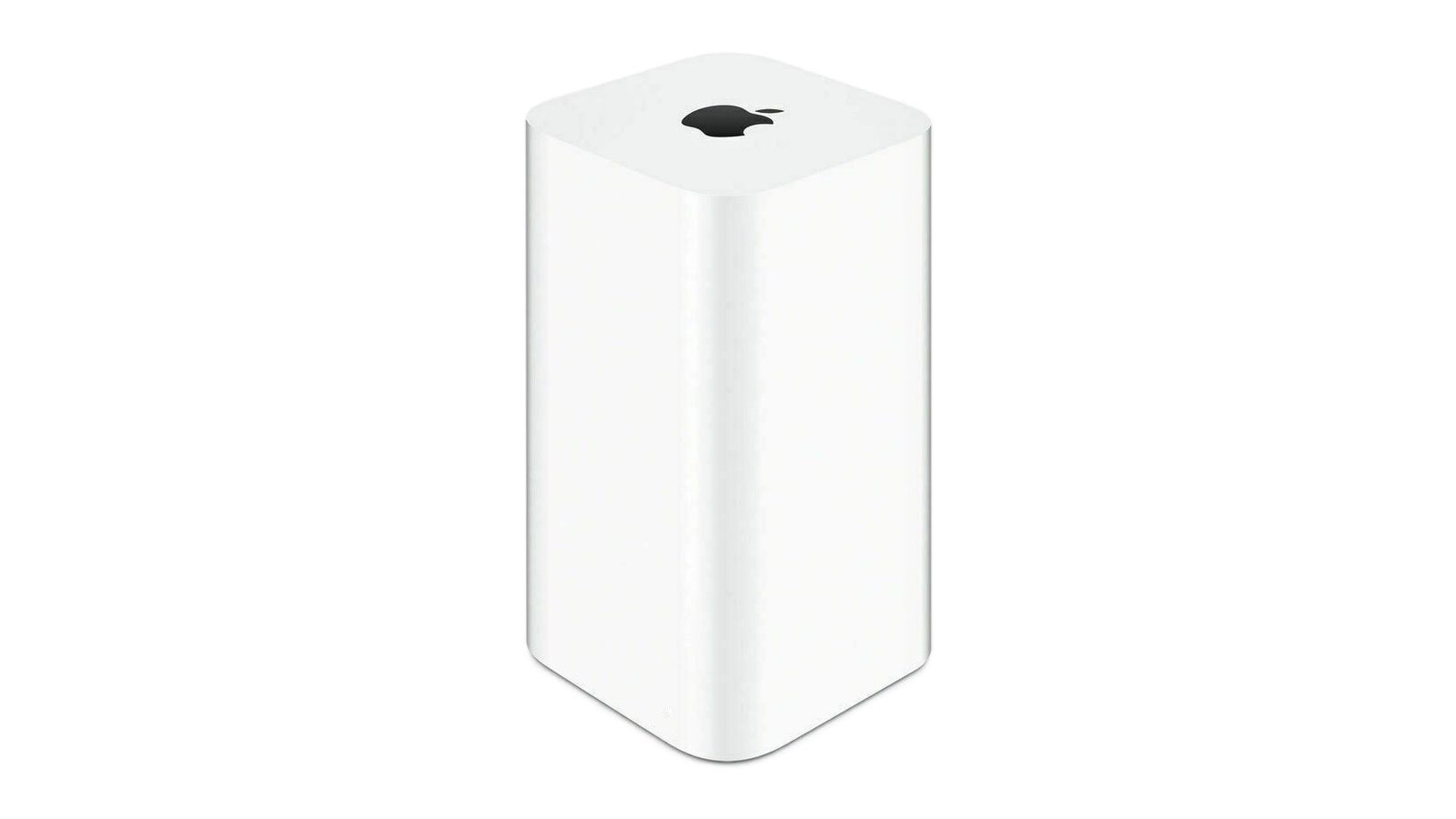
The cause is the removal of Apple Filing Protocol, the Mac file-sharing protocol. Apple updated its support document on Time Machine destinations on 14 September to say that AFP is not supported in macOS 27 or later. The same page now marks two older setups as no longer recommended: the built-in disk of an AirPort Time Capsule, and an external drive plugged into the USB port of an AirPort Time Capsule or an 802.11ac AirPort Extreme. Apple says Time Machine continues to work with third-party network storage that supports Time Machine over SMB, and with network backups to another Mac when both computers run macOS 11 or later.
MacRumors reported in June that every Time Capsule model relies on AFP and the original version of SMB, while Time Machine in macOS 27 requires SMB version 2 or 3. It also reported that Apple deprecated the AFP client in macOS Sequoia 15.5 and that macOS 26 Tahoe displayed a warning about the change in System Settings. It dates AFP to 1988, and notes that Apple discontinued the AirPort range in 2018.
AppleInsider notes that the change does not switch off the Time Capsule's router or Wi-Fi, only its role as a backup destination. It advises anyone with files that exist only in a Time Capsule backup to restore them before upgrading. A community project, TimeCapsuleSMB, installs a modern Samba server on the device so macOS 27 can reach it over SMB 3. MacRumors reports that only the 2013 tower model restarts that server on its own after a power cut, and that switching starts a new backup history.
What still works as a backup destination
Our take
This was announced well in advance, and it will still catch people out, because a backup that stops is silent. Nobody opens Time Machine to check it is working. The first sign for many Time Capsule owners will be the moment they need a file and find the newest backup is from the day they upgraded.
So the order matters. Set up the new destination first, whether that is a drive on the desk or a NAS that documents Time Machine over SMB, let it complete a full backup, and restore one test file from it. Only then upgrade to macOS 27. Keep the Time Capsule untouched until that is done, because it holds the only history you have.
It is worth being clear about what the sources do not say. Apple's page does not say whether a Mac on macOS 27 can still read or restore from an existing Time Capsule backup. AppleInsider's advice to restore first suggests it should not be relied on, and we would plan on the assumption that it cannot. An older Mac still on macOS 26 is the safe way to reach that archive later.
The community firmware route is clever and we would not make it anyone's only backup. It runs on hardware that is at least eight years old, with drives of a similar age, and MacRumors notes that no long-term restore testing has been published. As a second copy, fine. As the one copy, no.
The households most likely to be caught are the mixed ones: a Mac that has been backing up quietly to a Time Capsule for a decade, and a newer Apple silicon Mac that will take the update prompt without anyone asking what it changes. Check the backup disk in Time Machine settings on every Mac in the house before accepting that update.
Sources
- Backup disks you can use with Time MachineApple Support, 2026-09-14
 macOS 27 Golden Gate Kills Time Capsule SupportMacRumors, 2026-06-17
- Reminder: macOS 27 Ends Time Machine Backups to Time CapsuleMacRumors, 2026-09-16
 macOS 27 kills Time Capsule backups, these NAS replacements keep workingAppleInsider, 2026-09-15
Reporting and images linked above belong to their respective publishers and are shown from their own servers. The analysis here is our own.