The iOS 27 update that says 26.7, and release-day support
Apple's own Software Update screen mislabelled the year's biggest release. It is a good reminder of what launch week does to your support queue.
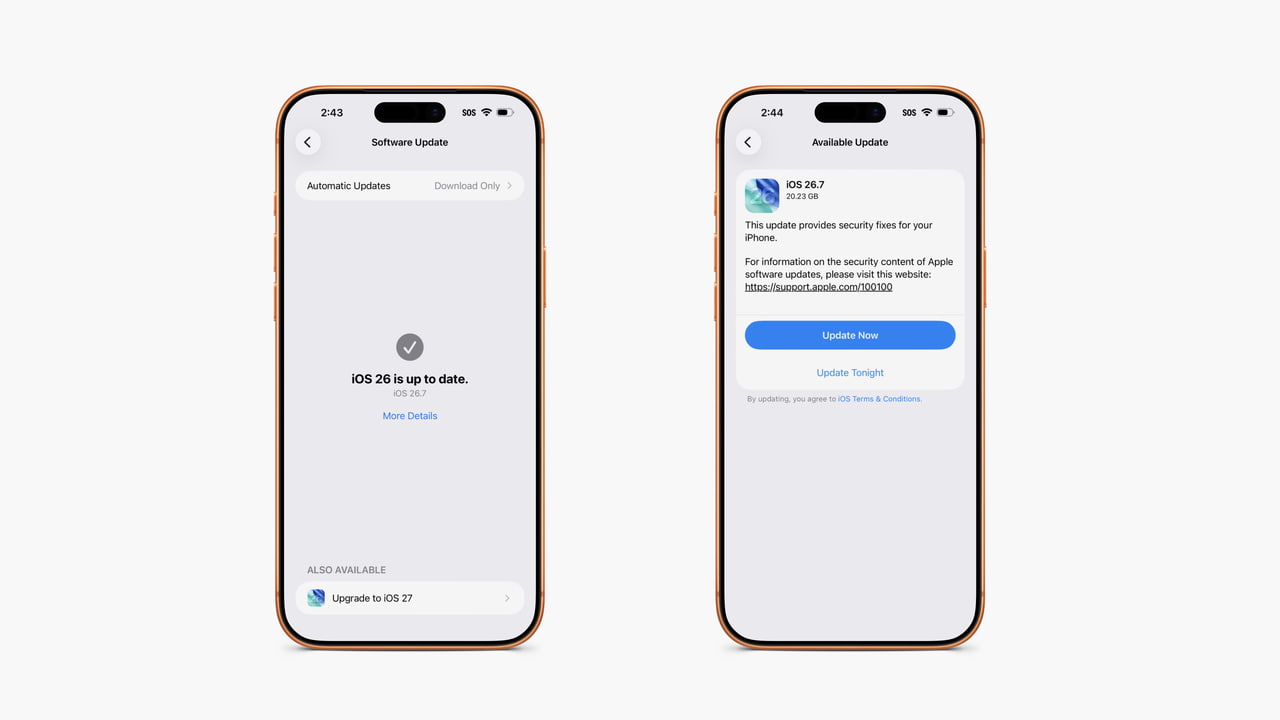
Since the 14 September release, numerous iPhone owners tapping Upgrade to iOS 27 have been shown a card labelled iOS 26.7 with a download around twenty gigabytes. iOS 27 appears under Also Available, then opens the wrong label. The reporting describes it as widespread, with no Apple statement, and the suggested options are a manual install through Finder or simply waiting.
It is a presentation bug on a screen almost every iPhone user will visit this month. We are writing about it because of what it does to everyone else's support queue, including yours.
Launch week is a support event, not an engineering one
For roughly two weeks after a major OS release, a share of your incoming tickets have nothing to do with your app. Users update, something looks different, and the most recently installed app gets the blame.
Add a genuinely confusing update screen and that share goes up. Someone who cannot tell which OS they are installing is not going to be confident about what changed afterwards.
What we do for client apps in this window
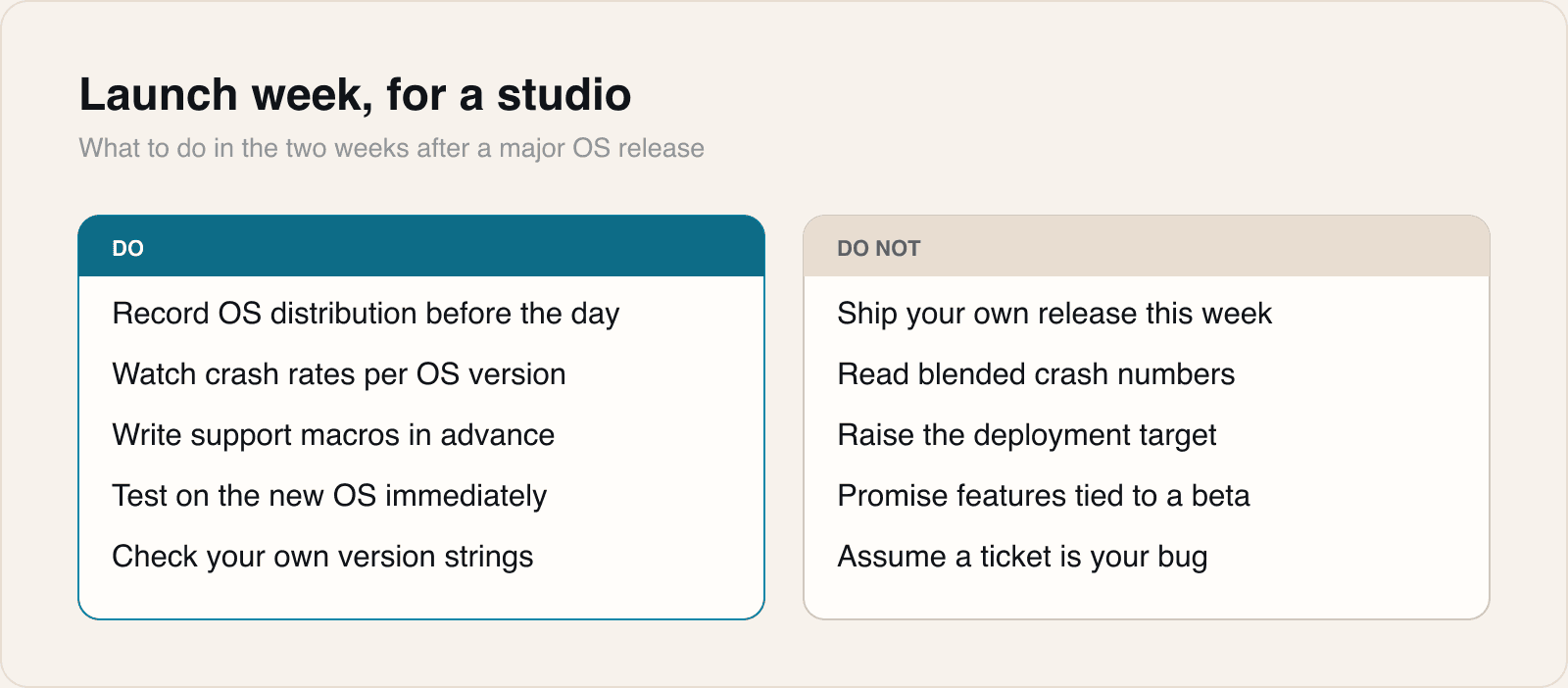
- Do not ship a significant release of our own into the first week. Two changes landing together are indistinguishable to a user, and impossible to separate in crash data.
- Record the OS version distribution before launch day so the shape of the shift is measurable rather than remembered.
- Write the support macros in advance, including one that politely establishes which OS version the person is actually on.
- Watch crash rates per OS version rather than in aggregate. A new-OS-only crash is invisible in a blended number while the new OS is a small share of users.
Shipping into launch week means debugging two variables at once.
The wider lesson about version strings
If Apple can mislabel its own flagship release on its own update screen, it is worth asking where your app displays a version and whether it is right.
It is a genuinely easy thing to get wrong. Marketing version and build number drift apart. Settings bundles keep a value that was correct two releases ago. An in-app What's New panel is gated on a version check that was written for a numbering scheme you no longer use.
None of that breaks a build, which is why nobody notices. It surfaces when a support conversation depends on knowing exactly what the user is running, and the answer on screen is wrong.
A five minute check across the app's About screen, settings bundle and update prompts is worth doing this week, while the example is fresh.
Sources
Reporting and images linked above belong to their respective publishers and are shown from their own servers. The analysis here is our own.