
Leaked setup screens show Apple's home hub shares a Photo Face with iPhone Duo StandBy
A code leaker has posted setup screens for a Photo Face on Apple's unannounced home hub. It requires iCloud Photos and matches iPhone Duo's StandBy.
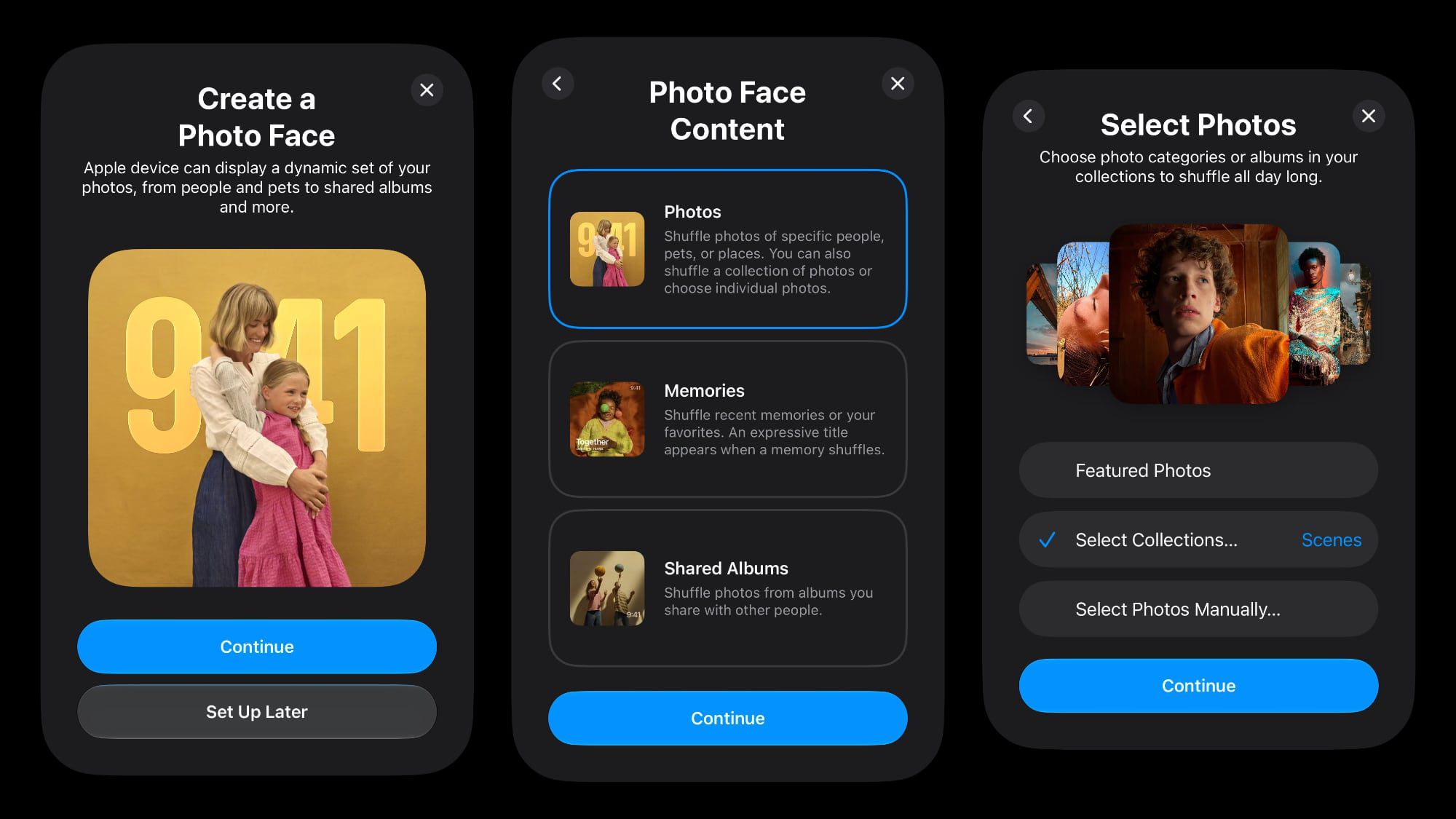
A code leaker has published setup screens for a Photo Face on Apple's unannounced smart home hub, showing photo options that match the StandBy mode coming to iPhone Duo.
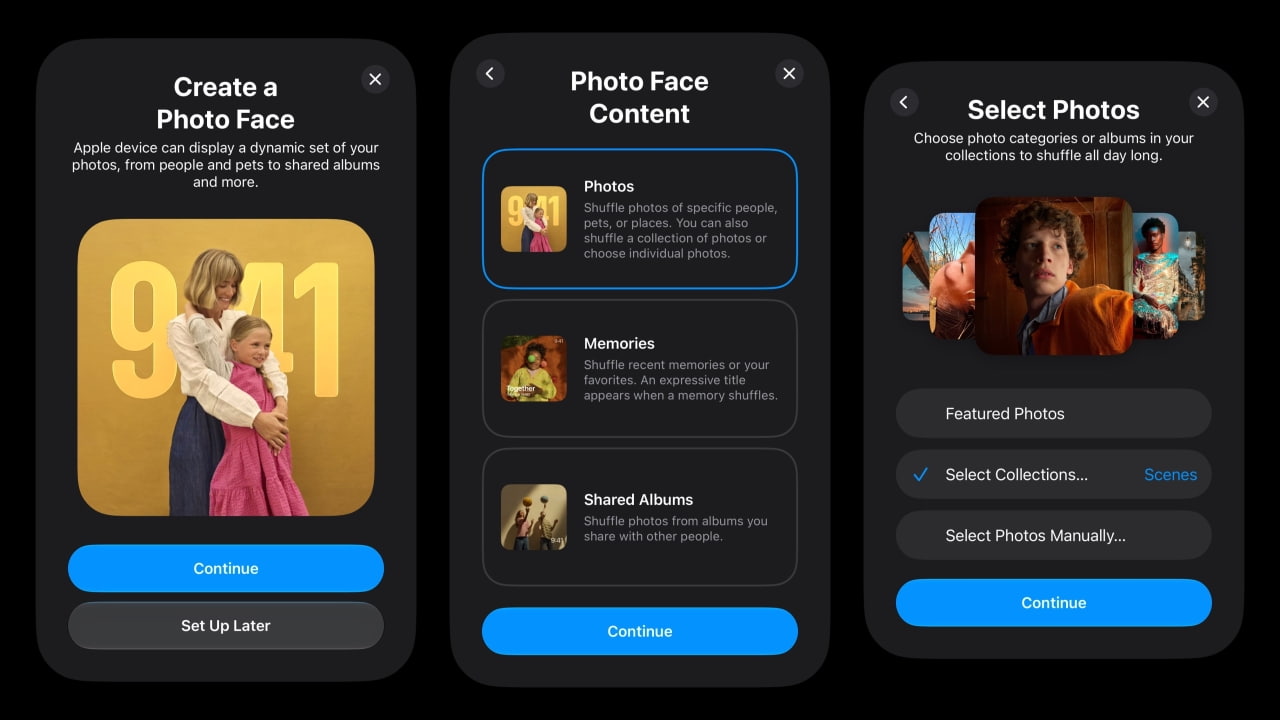
The screens were posted on X on 30 September by the leaker known as pdfu, and reported the same day by MacRumors, AppleInsider and iClarified. They show a setup step in which the owner chooses Photos, Memories or Shared Albums. Photos can shuffle pictures of particular people, pets or places, or draw from a collection, and a further screen offers Featured Photos or a manual choice. The Photo Face requires iCloud Photos. According to iClarified's account of the screens, the iPhone sends a few full-resolution photos during setup so the display can start at once, and the new device downloads the rest from iCloud. AppleInsider notes that the code names the product only with the placeholder "Apple device".
This is the evidence grade of leak: material pdfu says comes from Apple's code, not a description of it. AppleInsider calls pdfu reliable, pointing to the earlier find that iPhone Duo would use Touch ID. The limits are plain, though. The screenshots are tall and narrow, which suggests a setup sheet shown on an iPhone, so they show the setup flow and not the hub's own interface. Apple has not announced the device and has not commented.
How does it connect to iPhone Duo?
pdfu says the hub's Photo Face is the same one coming to StandBy on iPhone Duo, and earlier in the week said the code hinted at more StandBy faces that Apple has hidden in the device simulator. pdfu's suggestion is that this is why Duo's StandBy is still not available in the simulator, even after Xcode 27.1 beta added the iPhone Duo SDK and simulator.
Bloomberg, reporting separately on the same day, described the hub's interface as built heavily around clock displays and photo slideshows, similar to the revamped StandBy on iPhone Duo. One clock is described as "a lava lamp with an overlay of the time". Swiping up from a clock or photo opens an app launcher of Apple Watch-style icons, and apps such as Messages open into iPad-style layouts with two panels, according to MacRumors' account of the report.
What the hardware reporting adds
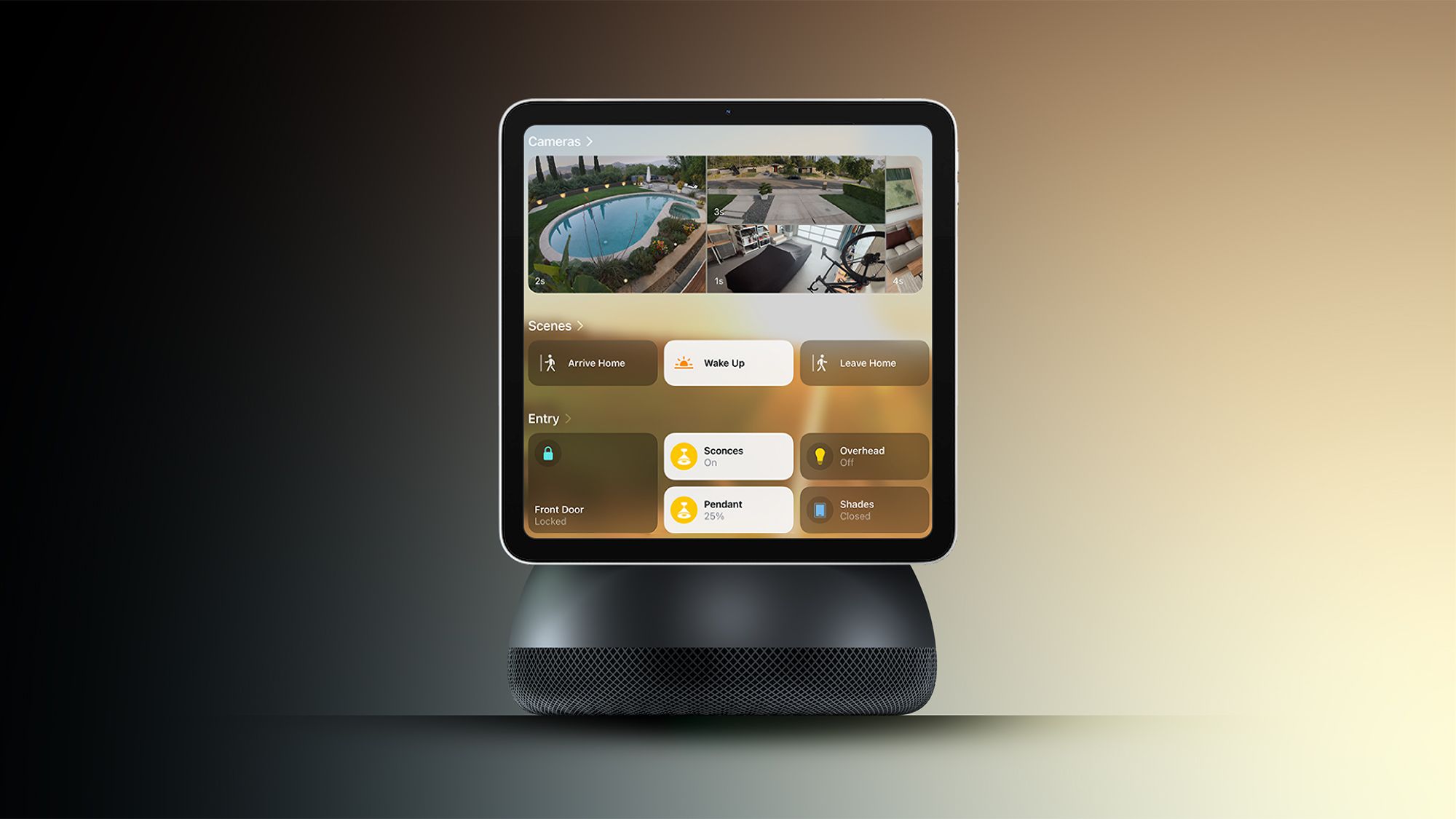
The design details are Bloomberg's, at the reported grade. The hub has a square 6-inch display with a quarter-inch black bezel, is about as thick as an iPhone, has no battery and no volume or power buttons, and takes power over USB-C. The screen sits on a polished metal arm above a round metal base ringed with speaker holes, in the manner of the 2002 iMac G4, and tilts forward and back. There is one front FaceTime camera. A wall-mounted version, code-named J491, puts the speakers in a flat base under the screen. The hub recognises people by voice or face, the facial system is said to be less reliable than Face ID, and an iPhone can serve as a second check or a fallback. A Mac-style Edge Light lights the face of someone standing in a dark room, and a visitor mode hides personal information.
One outlet departs from this. AppleInsider describes the hub as a tablet carried around the home, which cannot be squared with Bloomberg's account of a device with no battery that must stay plugged in. We follow Bloomberg, which 9to5Mac and MacRumors both quote directly.
Our take
This small leak says more about living with the hub than the hardware reporting does. It suggests a device that is a photo frame and a clock first and a computer second, idle most of the day and personal when someone walks up to it. That matches Bloomberg's description from a separate source, and two independent sources agreeing on the centre of the design counts for more than either one alone.
The iCloud Photos requirement is the detail to watch. The screens make it a condition of the Photo Face, not of the device, and they do not say what the hub shows a household that does not use iCloud Photos. Our inference, which no source states, is that a hub whose default screen draws on a family's photo library will push some households towards paid iCloud storage, since the free tier fills quickly with photos.
A personal screen in a shared room also raises a question none of the sources answers. Bloomberg's account of face recognition that is weaker than Face ID, with an iPhone as the fallback, suggests Apple will not let the hub alone unlock anything sensitive. Who sees which photos when two people stand in front of it, and what the hub stores to tell them apart, is for Apple to set out.
Code hints also come with a standing caution: plenty describe features that never ship, as with the unshipped iOS 27 code suggesting Siri could run on other models. APPDOOK's judgement is that this one is lower risk than most, because it sits in a setup flow that already looks finished and matches separate reporting on the interface. What it cannot tell us is whether developers' StandBy widgets will appear on the hub. Bloomberg says it will not have a full App Store, and Apple will have to explain the rest if it launches on 13 October.
Sources
 Apple's Home Hub Borrows From the iPhone Duo's StandBy ModeMacRumors, 2026-09-30
 Code hints continue to reveal features of Apple's upcoming Home HubAppleInsider, 2026-09-30
 Leaked Screens Show Apple's Home Hub 'Photo Face' SetupiClarified, 2026-09-30
 Apple Smart Home Hub to Feature iMac G4-Style DesignMacRumors, 2026-09-30
 Leak reveals new design details about Apple's upcoming smart display9to5Mac, 2026-09-30
Reporting and images linked above belong to their respective publishers and are shown from their own servers. The analysis here is our own.