
Apple's new Screen Time needs every device in a Family Sharing group on 27
Apple published a family screen time guide with the American Academy of Pediatrics on 29 September, and a requirement most coverage skipped.
Apple published a guide for families on 29 September 2026, written with the American Academy of Pediatrics and tied to the parental controls in iOS 27.
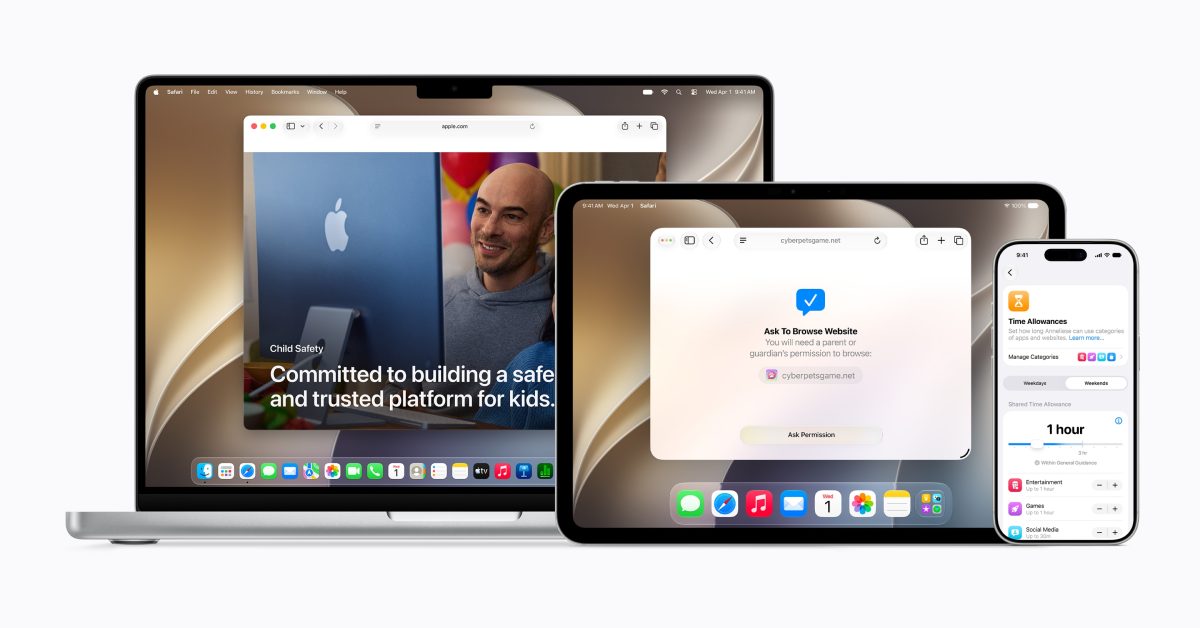
The document is called Building Healthy Digital Habits: A Guide for Families, and Apple's newsroom post sets out its six steps. Start a conversation about screen time. Create a Child Account, which turns on age-based safeguards. Set safety settings for websites and apps, including Ask to Buy and Ask to Browse. Make a schedule using Time Allowances and Schedules. Manage communications, with parents choosing who a child can contact and Communication Safety on by default for every user under 18. Then keep adjusting as the child grows. The guide also carries the AAP's own screen time guidance by age band, from infants through to teenagers. Sumbul Desai, Apple's vice president of Health and Fitness, is quoted saying "Every family approaches technology in their own way".
The detail that matters most is in Apple's own footnote rather than in the guide. The new features arrive with the Screen Time update in iOS 27, iPadOS 27 and macOS 27, and Apple states that every product in a Family Sharing group must be updated to iOS 27, iPadOS 27, macOS 27, watchOS 27 and visionOS 27 before the Screen Time update can be used. MacRumors reports the same requirement independently, and adds that the guide arrives while Apple faces regulatory pressure on child safety in the United Kingdom, the United States and Australia.
Which devices have to be updated?
All of them, on Apple's own wording, and the list is longer than the one in the sentence above it. The features are described as arriving on iPhone, iPad and Mac, but the upgrade requirement names watchOS and visionOS as well. A family group is not a set of phones. It is whatever anyone in the household has ever signed into it: an old iPad used for homework, a hand-me-down Mac, an Apple Watch on a grandparent's wrist, and in Apple's list a Vision Pro. Any one of them left behind holds the feature back for everyone in the group.
Our take
This is the most consequential sentence Apple published on Monday and it appeared as small print under a press release about a PDF. A parental control that requires unanimous upgrade across a family's entire device fleet is, for a large number of families, a parental control they do not have. Not because they declined it, and not because they failed to configure it, but because somebody's iPad is on an older release and nobody has told them that this is the reason the new Screen Time is not there.
The compounding problem is that the 27 releases have their own hardware cut. A device that cannot run its version of 27 at all is not a device you update, it is a device you replace, and a family holding one has no route to this feature short of buying new hardware. APPDOOK's view is that Apple should say that plainly in the Screen Time interface rather than in a footnote on a newsroom page, because the failure mode here is silent. Nothing errors. The new options simply are not there, and a parent who has just read a guide telling them to set Time Allowances is left assuming they have misunderstood the instructions.
We would also note what the guide does not resolve. Communication Safety being on by default for all users under 18 is a meaningful default and the sources do not say whether that default is new in 27 or predates it. Apple's newsroom page carries the standard caveat that some features may not be available in all regions, languages or models, and does not say which of these six steps that applies to. For a document explicitly aimed at parents making decisions, those are the two things a parent would most want pinned down.
What app makers should take from it
Two things, and both are about assumptions rather than APIs. The first is that Communication Safety defaulting on under 18 means any feature that sends or receives images between users is now operating inside a system-level filter for a large cohort, without your app being told. If your product has ever had a support ticket that reads image would not send, this is a candidate explanation and the user will not know it either.
The second is a testing note worth writing down. A parental control that only activates when an entire family group is on the same major release is not reproducible on one device, which means it is not reproducible on most test benches. If your app interacts with Child Accounts, the configuration your users are actually in is the mixed one, where the new Screen Time is not running at all, and that is the state worth checking against rather than the tidy all-updated household nobody has.
Sources
 Apple releases new guide to help families build healthy digital habitsApple Newsroom, 2026-09-29
 Apple Shares New Guide for Using iOS 27 Parental ControlsMacRumors, 2026-09-29
 Apple releases guide to help families 'build healthy digital habits'9to5Mac, 2026-09-29
 Apple & American Academy of Pediatrics team up for new Screen Time guideAppleInsider, 2026-09-29
Reporting and images linked above belong to their respective publishers and are shown from their own servers. The analysis here is our own.