
What reviewers found in the M5 Max Mac Studio: the SSD is the story, and its speed depends on capacity
Four reviews of the M5 Max Mac Studio agree it is quiet and fast. The storage speed they praise varies with capacity, from about 5GB/s to 16GB/s.
This is a round-up of four independent reviews of the Mac Studio with the M5 Max chip, published between 21 and 29 September by reviewers who tested the machine themselves.
The reviews are Roman Loyola's for Macworld, Jeremy Gray's for PetaPixel, Abbas Jaffar Ali's for tbreak and Mike Wuerthele's for AppleInsider, who reviewed a unit he bought for his own use. We have not tested the machine ourselves, and each finding below is credited to the reviewer who reported it.
The machine and the price
According to Apple's specification page, the M5 Max Mac Studio starts with an 18-core CPU, a 32-core GPU and 460GB/s of memory bandwidth, configurable to a 40-core GPU at 614GB/s. The base model has 36GB of memory and a 512GB SSD at $2,499, which Macworld notes is $500 more than the M4 Max model it replaces. The M5 Ultra model starts at $5,499. Three of the four reviewers tested well above the base: Macworld and PetaPixel had 128GB and 4TB at $6,899, of which PetaPixel says $1,800 is the storage upgrade alone, and tbreak had 128GB with 8TB. Only AppleInsider reviewed a near-base unit, with 36GB, a 32-core GPU and 1TB at about $2,799.
Speed against the older Macs
Macworld measured the M5 Max 8 per cent faster than the M4 Max in single-core Geekbench 7 and 22 per cent faster in multi-core, and 33 per cent faster on the GPU in Cinebench 2024. AppleInsider recorded 3,718 single-core and 35,104 multi-core in Geekbench 7, and 238,404 in Metal.
The two disagree about the previous M3 Ultra. AppleInsider has the M5 Max narrowly ahead in multi-core, against 35,056 for the M3 Ultra. Macworld has the M3 Ultra 9 per cent ahead. AppleInsider says it compared against the lower-tier 28-core M3 Ultra; Macworld does not name its configuration, but compares against an 80-core GPU, which suggests the top chip. On the GPU, AppleInsider has the M5 Max ahead of the base 64-core M3 Ultra in Metal, at 225,725, and Macworld has it 10 per cent ahead in Cinebench 2024, although Macworld's 80-core M3 Ultra still wins Geekbench's Metal test.
In creative software, PetaPixel recorded a Photoshop score of 18,124 and a Premiere Pro score of 14,704, both records in its testing, and found the M5 Max nearly matching a 256GB M3 Ultra in Lightroom Classic and DaVinci Resolve. tbreak ran local AI models: a 65GB GPT-OSS 120B model generated 75.65 tokens a second, and Qwen3 30B 131 tokens a second against 62 on an M6 Mac mini.
How fast is the SSD?
Reviewer | Capacity tested | Read | Write |
|---|---|---|---|
AppleInsider | 512GB | about 6.4GB/s | about 5.1GB/s |
AppleInsider | 1TB | about 10GB/s | about 10GB/s |
tbreak | 8TB | 13,376MB/s | 16,043MB/s |
Macworld | 4TB | called dramatic | called dramatic |
Macworld calls the SSD so overwhelmingly good that it is the story of the machine, and advises owners of the M4 Max and M3 Ultra models to consider upgrading for it alone. Wuerthele found the 512GB model far slower and suspects it has one storage module where larger capacities have two.
Noise and the complaints
All four describe a quiet machine. Wuerthele measured no more than 39 dBA under stress in a 36 dBA office, PetaPixel called it silent, and tbreak found it inaudible from a normal seat, drawing around 106W during repeated 120B model runs. The complaints are consistent too: memory and storage upgrades are expensive, memory cannot be added later, the front USB-C ports are not Thunderbolt on the M5 Max, the design has not changed since 2022, and PetaPixel found the built-in speakers middling.
Our take
The reviewers' headline advice, upgrade for the SSD, comes almost entirely from large configurations. Macworld tested 4TB and tbreak 8TB; the only reviewer with a 512GB machine measured roughly half the write speed of the 1TB model. The figures come from different tools and methods, so they are not a strict comparison, but the direction is clear enough to change a buying decision: anyone buying the $2,499 model for its storage speed should budget for at least 1TB.
Wuerthele's single-module theory fits what we reported when the Mac Studio kept slotted storage while the new Mac mini went back to soldered. If the base model does use one module, fewer modules usually means less parallel bandwidth, which would explain the gap. Nobody has opened one yet to confirm it.
The M3 Ultra disagreement is mostly a configuration difference, not a contradiction, and it lands in the same place for most buyers: the M5 Max matches or beats the cheaper Ultras of last year for far less. APPDOOK's reading is that the M5 Max is the Mac Studio most people should consider, with two caveats the reviews leave open. Only AppleInsider tested anything close to the base model, so the $2,499 machine is the least reviewed of the lot. And with reports that there will be no M6 Max chip at all, this may be the top non-Ultra Mac Studio for longer than usual, which favours buying the configuration you will still want in three years rather than the cheapest one.
Three things none of the four reviews covers. The M5 Ultra model is not in the comparison at all, because AppleInsider reports it is unavailable until 2027, so the claim that the Max is the better buy rests on Apple's specifications rather than a test. Nobody measured sustained performance over hours of rendering. And local AI was tested only by tbreak, on a 128GB machine; the 36GB base model cannot load the 65GB model that produced its best result.
Sources
 Mac Studio (M5 Max) review: Shifting into overdriveMacworld, Roman Loyola, 2026-09-21
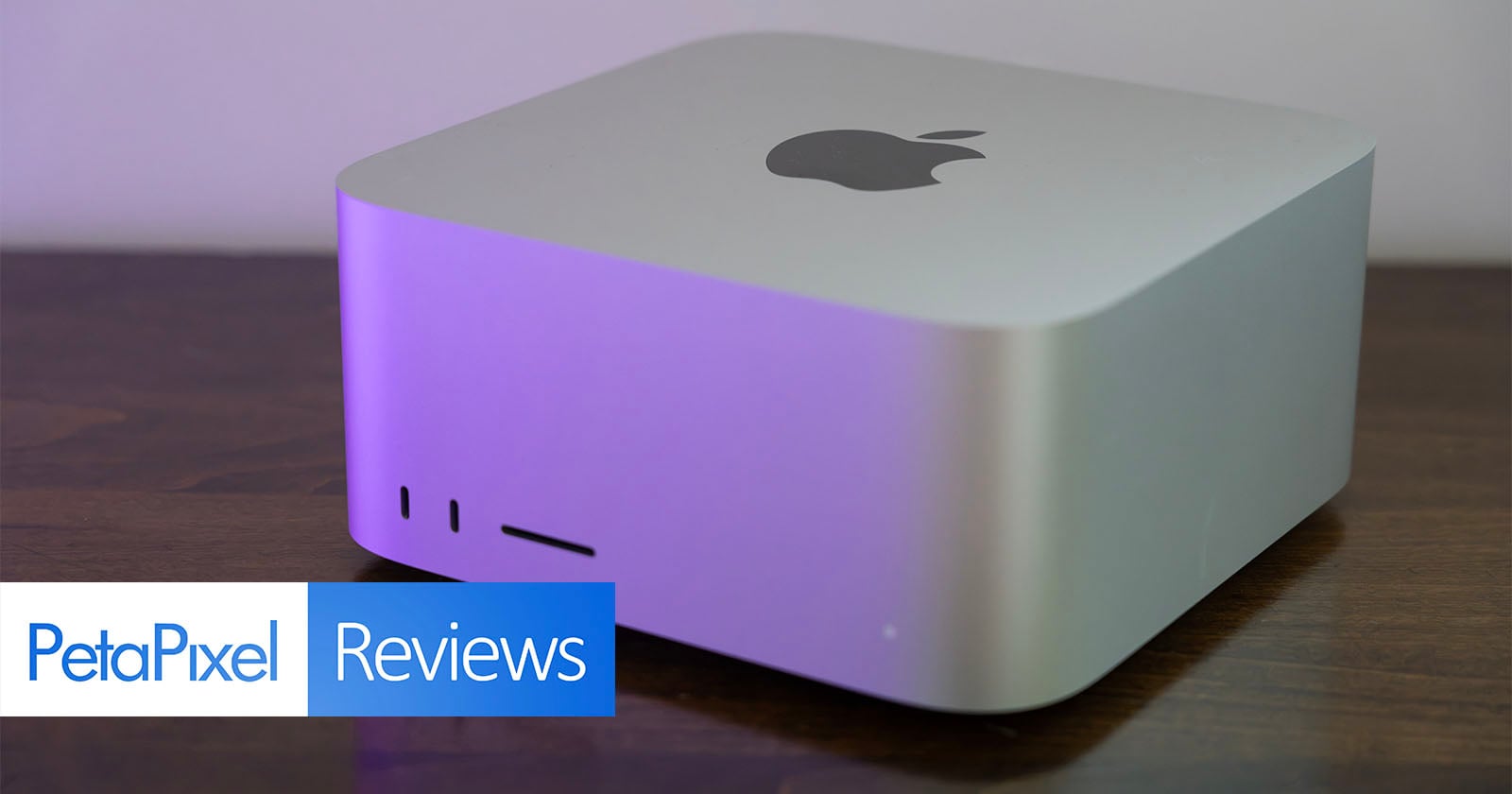 Mac Studio With M5 Max Review: The Best Mac for Photo and Video We've TestedPetaPixel, Jeremy Gray, 2026-09-21
 Mac Studio M5 Max Review: The Best Reason to Run AI Locallytbreak, Abbas Jaffar Ali, 2026-09-21
 M5 Max Mac Studio review: Far better choice than Ultra for most desksAppleInsider, Mike Wuerthele, 2026-09-29
 Mac Studio - Technical SpecificationsApple, 2026-09-21
Reporting and images linked above belong to their respective publishers and are shown from their own servers. The analysis here is our own.