How Safari's identity tracker block in iOS 27 and macOS 27 protects your email address, and the settings to check
Safari in the 27 releases cuts off companies that turn the email you type into a site into a tracking ID. Here is how it works, and what you can still set.
Follow this story
Safari tracker blocking
How Safari's identity tracker block in iOS 27 and macOS 27 protects your email address, and the settings to check(you are reading this)
Safari in iOS 27, iPadOS 27, macOS 27 and visionOS 27 blocks network access to identity resolution companies, WebKit said in a post on 19 October 2026.
The post, by WebKit engineers John Wilander, Charlie Wolfe and Matthew Finkel, says the block works by domain: Safari refuses to connect to the listed companies at all, so a tracker cannot get round it by changing how its requests are shaped. The companies are not login providers or newsletter services, the post says, but services present on many pages that a visitor never sees. WebKit has not published the list, and the post describes no switch to turn the block off: it is simply part of Safari in the 27 releases.
What does an identity resolution company do?
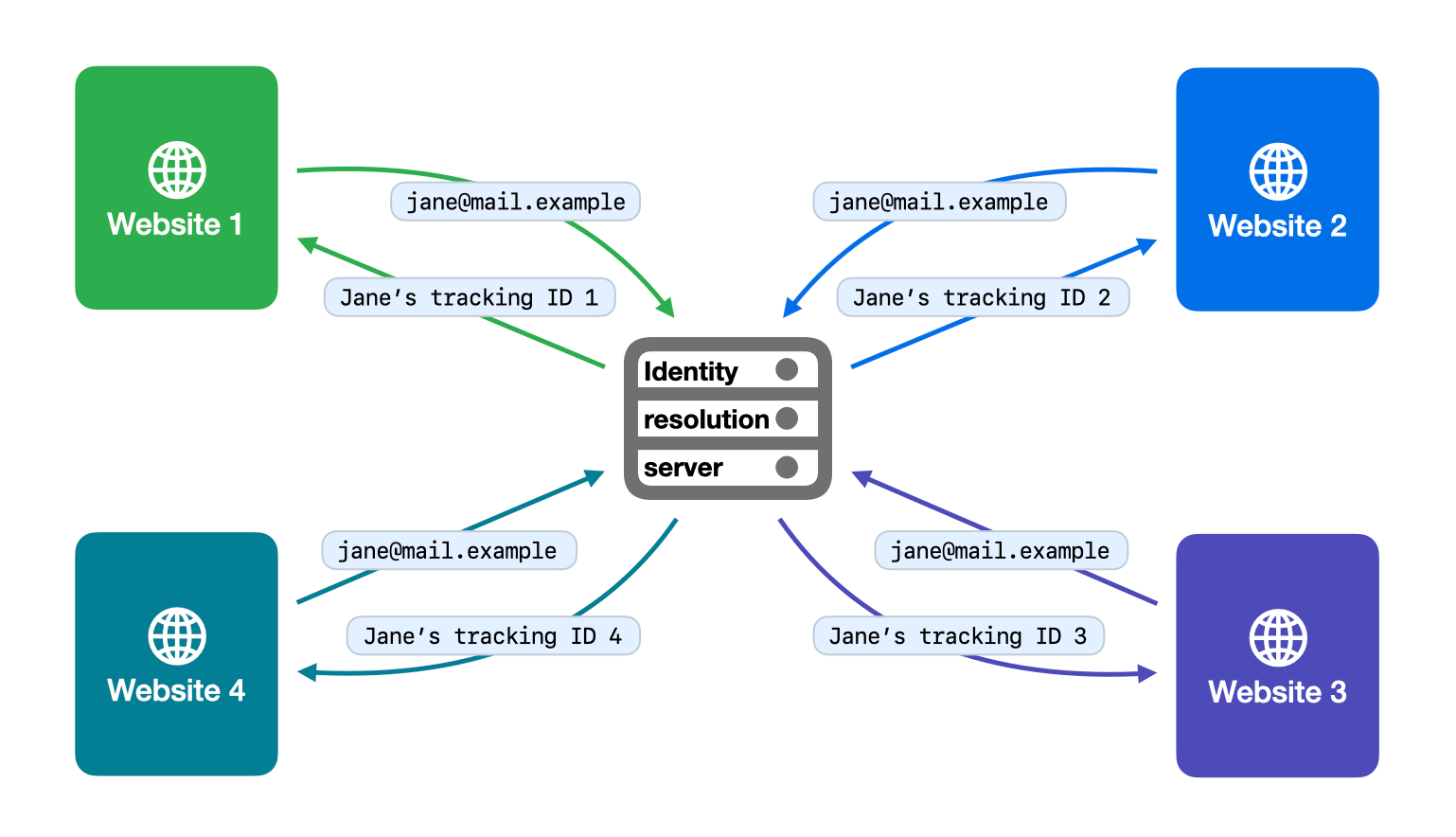
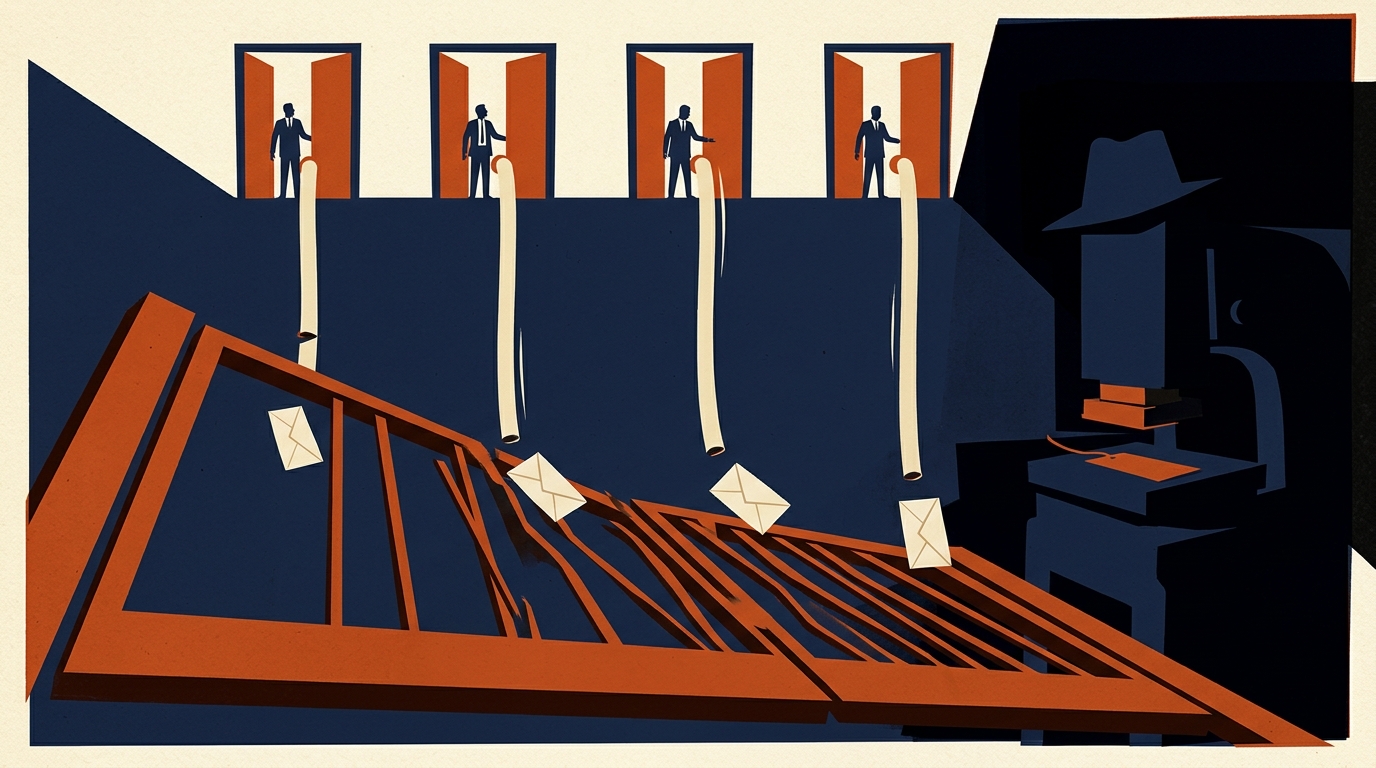
It replaces the cross-site cookie. When you type your email address into a sign-in box or a newsletter form, a resolver present on the page sends it to its own servers and creates a long-lasting ID tied to that address. Type the same address on a different site that uses the same resolver and it links the two visits, even though each site gets a different ID. WebKit's post says the ID survives logging out or unsubscribing, and that resolvers build an identity graph over time, a database joining one person's addresses, phone numbers and devices.
WebKit places the technique in the years since Safari fully blocked cross-site cookies, six years before this post. An email address makes a lasting tracking ID because, in the post's words, people keep it "for years, even decades", and WebKit treats it as personal information in almost every case. In WebKit's view, even a resolver that only joins up one company's data is a third party, because it can match people across sites.
What still works when Safari blocks these trackers?
WebKit's Tracking Prevention Policy lists what its protections are not meant to break: signing in with a third-party account, single sign-on across one organisation's sites, embedded media that remembers your preferences, like buttons and comment widgets, fraud prevention, bot detection, analytics within a single site, and audience and ad measurement. The 19 October post adds that a site tailoring its own pages to you is fine, in its words "first party personalization is not tracking".
The policy is firm in the other direction. WebKit grants no exceptions to named companies, treats getting round its protections as seriously as exploiting a security hole, and says it may add restrictions aimed at specific parties without notice.
Which Safari privacy settings should you check on iPhone and Mac?
The new block needs nothing from you. These are the settings around it, which we checked against Apple's macOS 27 Safari guide on 20 October. The iPhone path for Prevent Cross-Site Tracking is from Apple's iOS 27 guide; the one for the fingerprinting option is the path 9to5Mac gave for iOS 26.
Setting | On a Mac | On iPhone | Default |
|---|---|---|---|
Prevent cross-site tracking | Safari > Settings > Privacy | Settings > Apps > Safari | On |
Advanced tracking and fingerprinting protection | Safari > Settings > Advanced | Settings > Safari > Advanced | Private Browsing only |
On the Mac, the Privacy pane also has Hide IP address, which can hide your address from known trackers, or from websites as well if you have iCloud+ with Private Relay. The advanced protection, set to all browsing, blocks connections to data collection companies that use fingerprinting, which identifies a device from data gathered while you browse, and strips known tracking codes from the links you open. 9to5Mac reported in September 2025 that Safari in iOS 26 would apply Advanced Fingerprinting Protection to all browsing by default; the wider setting still covers only Private Browsing unless you change it. If a site misbehaves with it on, Apple's Mac guide says to choose View > Reload Reducing Privacy Protections.
The tool WebKit's own post points to is Hide My Email, part of iCloud+. It gives each site a different random address that forwards to your inbox, so no resolver ever sees your real one. On iPhone it lives in Settings > your name > iCloud > Hide My Email, and Safari offers it above the keyboard when you tap an email field on a sign-up form.
Our take
From a design point of view, this is privacy with no interface at all. There is no toggle, no list and no message when a resolver is refused, which we read as sparing people a decision most could not make well, at the cost that nobody can see it working. In our view the visible controls in the table do less against this kind of tracking than one habit at the sign-up form, because the form is where the email is handed over.
For a reader who already pays for iCloud+, APPDOOK sees Hide My Email as the more useful half of this story: the block covers only the resolvers on Apple's unpublished list, while a relay address protects you from ones it has missed, and in Chrome or any other app too. Without iCloud+, turning the advanced protection on for all browsing is the free step that does the most.
Our archive shows where the line is being drawn. On 7 October we reported that Safari on iOS 27 was blocking adsrvr.org, The Trade Desk's ad delivery domain, and that its engineer insisted the domain served ads, not identity. WebKit's bug report was marked resolved on 9 October after the iOS 27.2 beta, which PPC Land says appeared to restore the domain. We read the 19 October post as making the same distinction: ad delivery is not the target, the step that turns an email into an ID is. That also fits Apple's Switch to Safari campaign, which made tracker blocking its first selling point against Chrome.
One limit matters for what you do next. WebKit's post names only Safari and WebKit, the engine under Safari, so we would not count on the block in Chrome on a Mac, which runs its own engine. Anyone who splits their browsing between the two gets this protection only in one of them, which is one more reason the relay address, not the browser, is the safer place to rely on.
Sources
 Blocking Identity Resolution InfrastructureWebKit, John Wilander, Charlie Wolfe and Matthew Finkel, 2026-10-19
 Tracking Prevention PolicyWebKit, 2026-10-19
 Safari 27 blocks identity firms that turn email addresses into tracking IDsPPC Land, Luís Rijo, 2026-10-19
- Change Privacy settings in Safari on MacApple Support, 2026-09-14
- Change Advanced settings in Safari on MacApple Support, 2026-09-14
- Browse privately in Safari on MacApple Support, 2026-09-14
- Browse the web privately in Safari on iPhoneApple Support, 2026-09-14
- Set up and use Hide My Email in iCloud+ on all your devicesApple Support, 2026-09-14
 Security Bite: My favorite privacy features in iOS 269to5Mac, Arin Waichulis, 2025-09-01
Reporting and images linked above belong to their respective publishers and are shown from their own servers. The analysis here is our own.
How we report: editorial policy. Spotted an error? Report a correction.
Newsletter
Apple news, in your inbox
Get APPDOOK's Apple news by email, checked against the source like everything here.
Follow APPDOOK
New Apple stories every day, checked against Apple’s own sources.