
How to follow teams and get live scores with Live Activities in the Apple Sports app on iPhone
Follow your teams and leagues in Apple Sports, switch on Live Activities for them, and control live scores from the Lock Screen, Dynamic Island and Apple Watch.
To get live scores from the Apple Sports app on your iPhone's Lock Screen, follow your teams in the app and switch on Live Activities for them, on iOS 18 or later.
Apple Sports is Apple's free scores app. A Live Activity is a small panel that keeps updating in place, on the Lock Screen and, on iPhones that have one, in the Dynamic Island, the pill-shaped cutout at the top of the screen. Version 4.5 of the app, released in mid-October 2026, lets those panels show key statistics during breaks in play, 9to5Mac reported, and adds five soccer competitions: Brazilian Serie B, English League One and League Two, Norway's Eliteserien and the UEFA Nations League. The steps below follow Apple's own support guide for the app.
What do you need?
When we checked the App Store listing on 18 October, Apple Sports required iOS 18.0 or later and was listed for iPhone only. Apple's user guide sets the same iOS floor for Live Activities, and watchOS 11 or later for them to appear on an Apple Watch; there is no separate watch app to install. Apple adds that not every feature is available in every country or region.
How to follow teams and leagues
Every change begins at the menu button in the upper-right corner, then Edit. Apple's guide gives three ways to add something from there:
- Search: tap the search field, type or dictate a team or league, and tap the add button beside it.
- A whole league: tap the add button next to the league's name.
- A single team: tap a league to open it, then tap the add button next to the team.
Tap Done when you have finished. The teams and leagues you follow sit at the top of the Edit list, and tapping the button beside one removes it. Apple calls this list My Sports, and it is shared: a club you follow here also becomes a favourite in the Apple TV and Apple News apps, and on an iPad, Mac or Apple TV signed in to the same Apple Account. Apple's settings page says Sync My Sports must be on to use the app at all. Its switch is behind your profile picture in the same menu.
How to turn on Live Activities for your teams
Open the menu again and tap the Manage Live Activities button. Every team you follow has its own switch. Turn on the ones whose games you want on your Lock Screen, then tap Done, and their games start a Live Activity without you doing anything else.
For one game, including one that has not kicked off yet, tap it on the scores screen and tap the Live Activities button on its game card; tapping the button again stops it.
Two system settings decide whether the panel appears and how fresh it is. Settings, Apps, Sports, Live Activities holds Allow Live Activities, the app's master switch, and More Frequent Updates, which Apple warns can drain the battery faster. Separately, Settings, Face ID & Passcode has a Live Activities switch under Allow Access When Locked, as MacRumors' guide to the feature explains; with it off, nothing shows on a locked phone.
How to manage scores on the Lock Screen, Dynamic Island and Apple Watch
Where | What you do | What happens |
|---|---|---|
Lock Screen | Tap the Live Activity | The game card opens in Apple Sports |
Lock Screen | Swipe left on it | That game's Live Activity stops |
Dynamic Island | Touch and hold | It expands to show more of the game |
Dynamic Island | Tap | Apple Sports opens |
Apple Watch | Nothing to set up | The same updates appear on the watch |
Apple describes the swipe as stopping alerts for a single game, so the team's switch stays on and its next match starts a fresh panel. To stop a team altogether, turn its switch off in the app's menu. On an iPhone 18 Pro the island can hold three Live Activities, but a code explorer has found that the third place only ever goes to one of Apple's system activities, such as navigation, so a score would share the island with at most one other app.
Can Apple Sports send score notifications?
Not as separate alerts, going by Apple's documentation. Its settings page lists Live Activities, Background App Refresh, Cellular Data, Search, Language and Apple Intelligence & Siri under the Sports app, with no Notifications entry, and the App Store description mentions Live Activities and a Home Screen widget but no push alerts. In this app, the Live Activity is the alert.
Our take
Leaving out notifications is a design choice, and mostly a good one. A score that changes in one panel is easier to read than a stack of banners, and the break-time statistics in 4.5 use the moment when people actually glance at a match: the clock has stopped and nothing new is happening. The cost is that the panel does not buzz. Anyone who wants a buzz for every goal will still need a club's or a league's own app alongside it.
For a fan who follows a lot of teams, APPDOOK recommends switching Live Activities on for the one or two clubs you would actually watch, and following the rest only for scores in the app. A busy Saturday with every switch on fills the Lock Screen, and on most iPhones the Dynamic Island shows just two apps' activities at once. Leave More Frequent Updates off and turn it on for the close finish that matters, since that is the setting with the battery cost.
When a Live Activity never appears, check three places in order: the team's switch in the app's menu, Allow Live Activities under the Sports app in Settings, then the Lock Screen switch in Face ID & Passcode. The last is the easiest to miss, because it covers every app at once and lives outside the Sports settings.
If your league is missing, it may not stay that way. Adding up the App Store's version history, Apple has shipped an update with new competitions roughly once a month since July: 4.2 on 20 July, 4.3 on 17 August, 4.4 on 23 September, then 4.5. That is a pattern rather than a promise, so a missing league is worth looking for again after the next update.
Sources
- How to use Apple Sports on your iPhoneApple Support, 2025-11-17
- Manage My Sports in the Apple Sports appApple Support, 2026-10-18
- Follow games in real time in the Apple Sports appApple Support, 2026-10-18
- Adjust settings in the Apple Sports appApple Support, 2026-10-18
 Apple SportsApp Store, 2026-10-18
 Apple Sports update improves Live Activity support, adds soccer leagues from around the world9to5Mac, Marcus Mendes, 2026-10-15
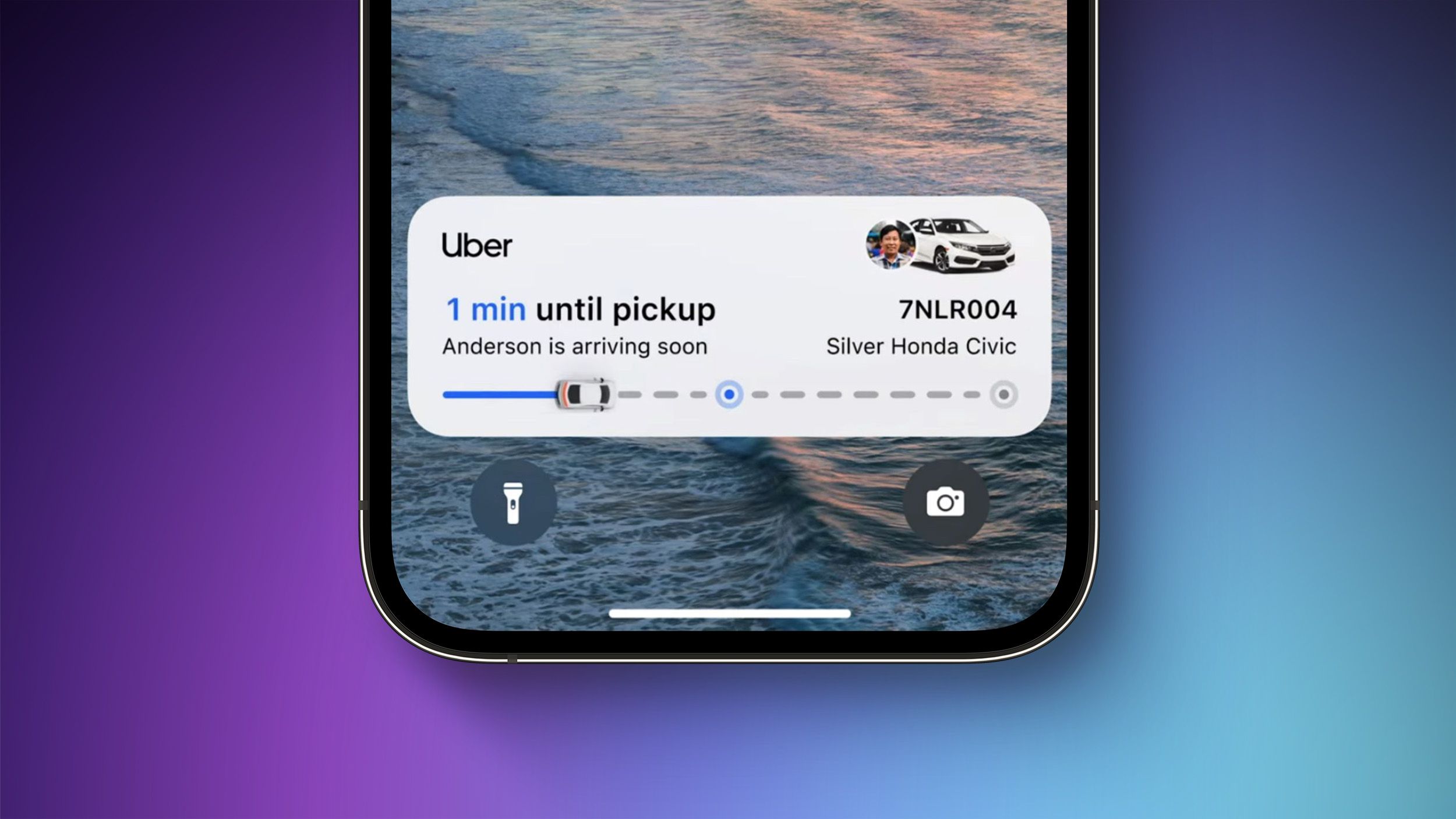 How to Enable Live Activities on iPhoneMacRumors, Tim Hardwick, 2022-12-13
Reporting and images linked above belong to their respective publishers and are shown from their own servers. The analysis here is our own.
How we report: editorial policy. Spotted an error? Report a correction.
Newsletter
Apple news, in your inbox
Get APPDOOK's Apple news by email, checked against the source like everything here.
Follow APPDOOK
New Apple stories every day, checked against Apple’s own sources.