
Which Macs support macOS 27? Compatible models and what Intel Macs lose
macOS 27 Golden Gate runs only on Macs with Apple silicon, from the 2020 M1 models to the MacBook Neo. Four Intel Macs stay on macOS Tahoe.
macOS 27 Golden Gate installs only on Macs with Apple silicon, the chips Apple designs itself, and on no Intel Mac at all.
Apple released it on 14 September 2026. On its macOS page, which we read on 18 October, Apple lists seven families: the MacBook Neo (2026), MacBook Air and MacBook Pro with Apple silicon (2020 and later), iMac with Apple silicon (2021 and later), Mac mini with Apple silicon (2020 and later), every Mac Studio (2022 and later) and the Mac Pro with Apple silicon (2023). In practice that means every Mac with an M1 chip or newer, plus the MacBook Neo, which uses the A18 Pro chip from the iPhone.
Which Macs can install macOS 27?
Laying Apple's macOS 27 list beside its list for macOS Tahoe 26 shows exactly who is left behind. Four Intel models ran Tahoe and do not run Golden Gate, the same four 9to5Mac named in May before Apple published its list. Every other Intel Mac had already stopped at an earlier version.
Mac | Runs macOS 27 | Intel model that stops at macOS Tahoe 26 |
|---|---|---|
MacBook Neo | 2026 model | None, never Intel |
MacBook Air | M1 (2020) and later | None still on Tahoe |
MacBook Pro | M1 (2020) and later | 13-inch 2020 with four Thunderbolt 3 ports; 16-inch 2019 |
iMac | M1 (2021) and later | Retina 5K 27-inch 2020 |
Mac mini | M1 (2020) and later | None still on Tahoe |
Mac Studio | 2022 and later | None, never Intel |
Mac Pro | 2023 | Mac Pro 2019 |
To see which kind you have, open the Apple menu and choose About This Mac. A Mac with Apple silicon shows a Chip line, such as Apple M1; an Intel Mac shows a Processor line naming Intel. The year on that same screen settles the rest.
What is Rosetta, and does it still work in macOS 27?
Rosetta is the translator that lets apps written for Intel processors run on a Mac with Apple silicon. Apple's support article on Intel-based apps says it remains available in macOS 27, so those apps still open. What changes is the warning: opening one may bring up a notice that support for Intel-based apps is ending, and that the app will not work with macOS 28.
From macOS 28, Apple says Rosetta will be kept only for certain older, unmaintained games built on Intel-based frameworks. Ordinary Intel-only apps, plug-ins and extensions will stop opening. On macOS 27 there are two ways to find them: in System Settings, go to General, then About, and click Details next to Intel-based Apps; or select an app in Finder, press Command-I, and look for Application (Intel) next to Kind. Universal or Apple silicon there means the app is fine.
Rosetta only matters on Apple silicon. An Intel Mac runs Intel apps directly, so the four Macs in the table keep every app they run today, for as long as those apps still support macOS Tahoe.
What can an Intel Mac do instead?
Stay on macOS Tahoe and keep installing its updates. Apple's security releases page shows macOS Tahoe 26.7 arriving on 14 September, the same day as Golden Gate, and Tahoe 26.7.1 on 28 September, alongside Golden Gate 27.0.1. Software Update in System Settings offers these to a Tahoe Mac without moving it to macOS 27.
Patching your way onto macOS 27 is not an option. OpenCore Legacy Patcher, the volunteer tool that installs newer macOS on Macs Apple has dropped, only reached macOS Tahoe on older Intel Macs in October 2026, and MacGeneration reports that no workaround exists for Golden Gate because Apple removed most of the parts Intel Macs need.
Our take
Nothing breaks on an Intel Mac the day macOS 27 ships, and the question is how long it stays safe. Apple publishes no end date for security fixes, so we read its own record instead. On the same security releases page, macOS Sonoma, launched in September 2023, had its last listed update, 14.8.9, on 6 August 2026 and got nothing alongside macOS 27. That is roughly three years of fixes. If Tahoe follows the same pattern, a 2019 or 2020 Intel Mac should keep getting security updates until about the time macOS 29 arrives in autumn 2028. That is a pattern, not a promise, and the first sign it is ending will be a September update list without Tahoe on it.
So for the owner of one of those four Macs, APPDOOK sees no reason to replace a machine that still does its job in 2026. Plan the replacement for 2027 or 2028 instead, and buy it with the Rosetta change in mind. The real risk sits on the other side of the move: migrating from an Intel Mac to a new one carries old Intel-only apps across, and they will run on macOS 27 and stop on macOS 28. Run the Intel-based Apps check on the new Mac in its first week, while the old one is still around to compare. Businesses with many Macs have a longer list of things to audit before Rosetta goes.
Games are the exception worth knowing about. Apple's carve-out covers only old, abandoned titles, so a game that is still being updated needs a native version from its studio, as ZeniMax has promised for The Elder Scrolls Online in summer 2027. For the oldest Apple silicon Macs the news is good: the 2020 M1 models made the cut alongside the 2026 machines, so a Mac that is six years old is still getting new macOS releases.
Sources
 macOS 27 Golden GateApple, 2026-09-14
- macOS Tahoe 26 is compatible with these computersApple Support, 2025-09-15
- Using Intel-based apps on a Mac with Apple siliconApple Support, 2026-09-21
- Apple security releasesApple Support, 2026-09-28
 macOS 27 will drop support for these four Mac models9to5Mac, 2026-05-18
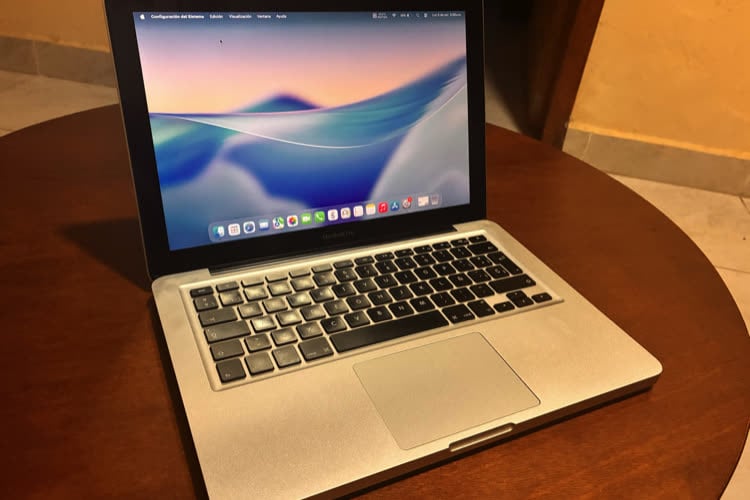 macOS Tahoe arrive enfin sur les vieux Mac grâce à OpenCore Legacy PatcherMacGeneration, 2026-10-07
Reporting and images linked above belong to their respective publishers and are shown from their own servers. The analysis here is our own.
How we report: editorial policy. Spotted an error? Report a correction.
Newsletter
Apple news, in your inbox
Get APPDOOK's Apple news by email, checked against the source like everything here.
Follow APPDOOK
New Apple stories every day, checked against Apple’s own sources.